02

You wake up.
It’s already done.

8 automated workflows that run on your schedule. While you sleep, Skylarq opens Chrome, navigates real websites, and delivers results.

Download for Mac
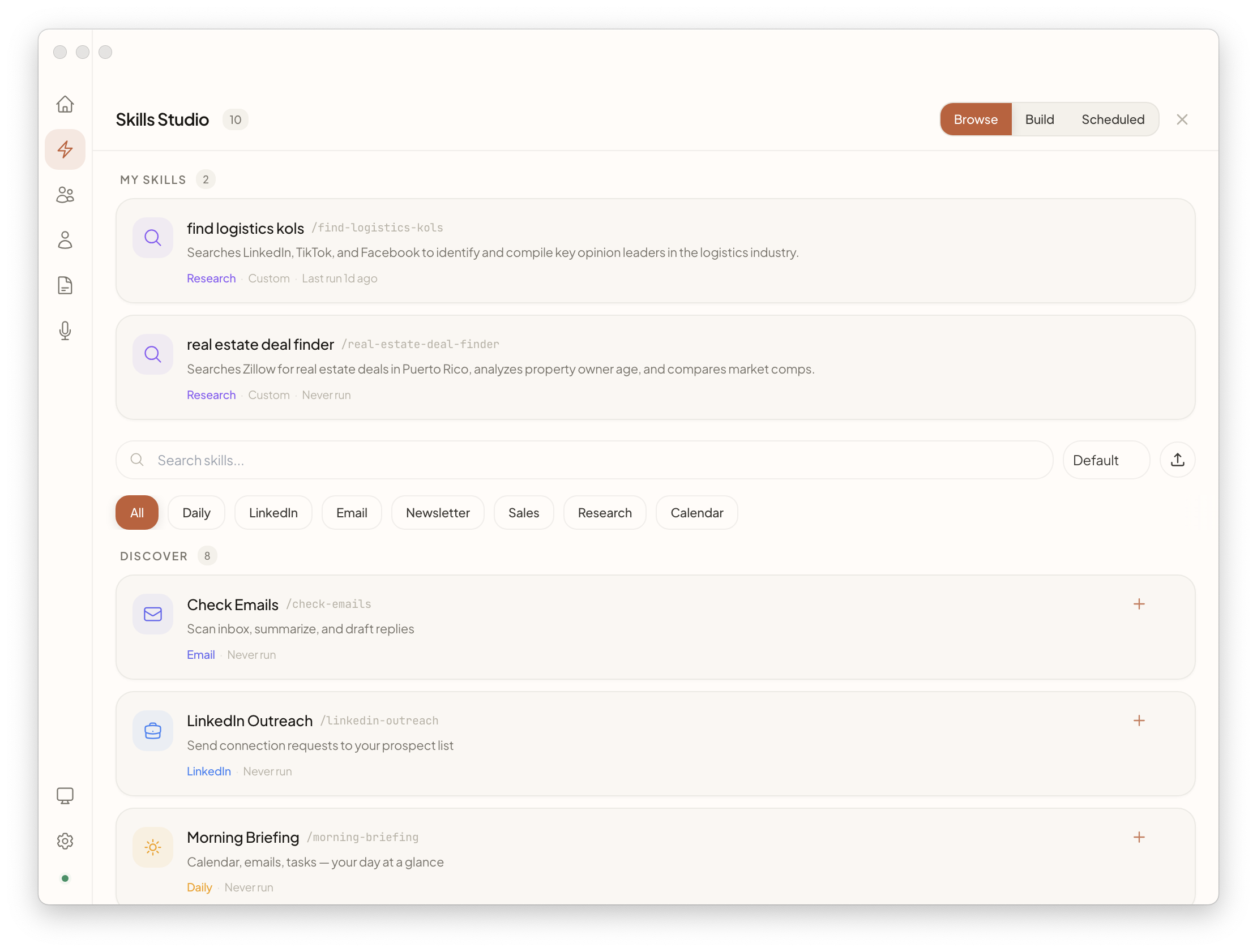
Skylarq Assistant — Skills
Skylarq Skills

Save 2+ hours every morning

8 built-in skills that run daily, weekly, or on demand.

YOUR MORNING TODAY

  • Open 13 tabs and switch between apps
  • Copy-paste into ChatGPT, wait, copy back
  • Forget to check pipeline until Monday
  • Manually write follow-up emails

YOUR MORNING WITH SKILLS

  • Briefing arrives in WhatsApp by 8am
  • Inbox triaged with draft replies waiting
  • Pipeline reviewed — stale deals flagged
  • Follow-ups sent automatically

Morning Briefing

  1. Open Gmail, Calendar, WhatsApp
  2. Scan for urgent & important
  3. Deliver prioritized summary

Email Triage

  1. Read entire inbox
  2. Flag urgent, archive noise
  3. Draft replies for top 3

Pipeline Review

  1. Pull deals from CRM
  2. Flag stale & at-risk
  3. Generate status report

LinkedIn Outreach

  1. Find ICP-matched prospects
  2. Send 14 connections/day
  3. Personalized follow-ups

Competitor Watch

  1. Monitor websites & social
  2. Detect pricing & product changes
  3. Alert you with summary

Weekly Report

  1. Pull metrics from your tools
  2. Aggregate into one view
  3. Deliver every Friday at 5pm

Lead Research

  1. Look up a prospect
  2. Funding, tech stack, team
  3. Prep brief before your call

Social Engagement

  1. Scan your LinkedIn posts
  2. Like & reply to comments
  3. Keep engagement alive

Don’t see what you need? Build your own in Skills Studio ↓

Build your own skills

Start from scratch, generate with AI, or pick a template — Outreach, Research, Monitor, Email, or CRM Sync.
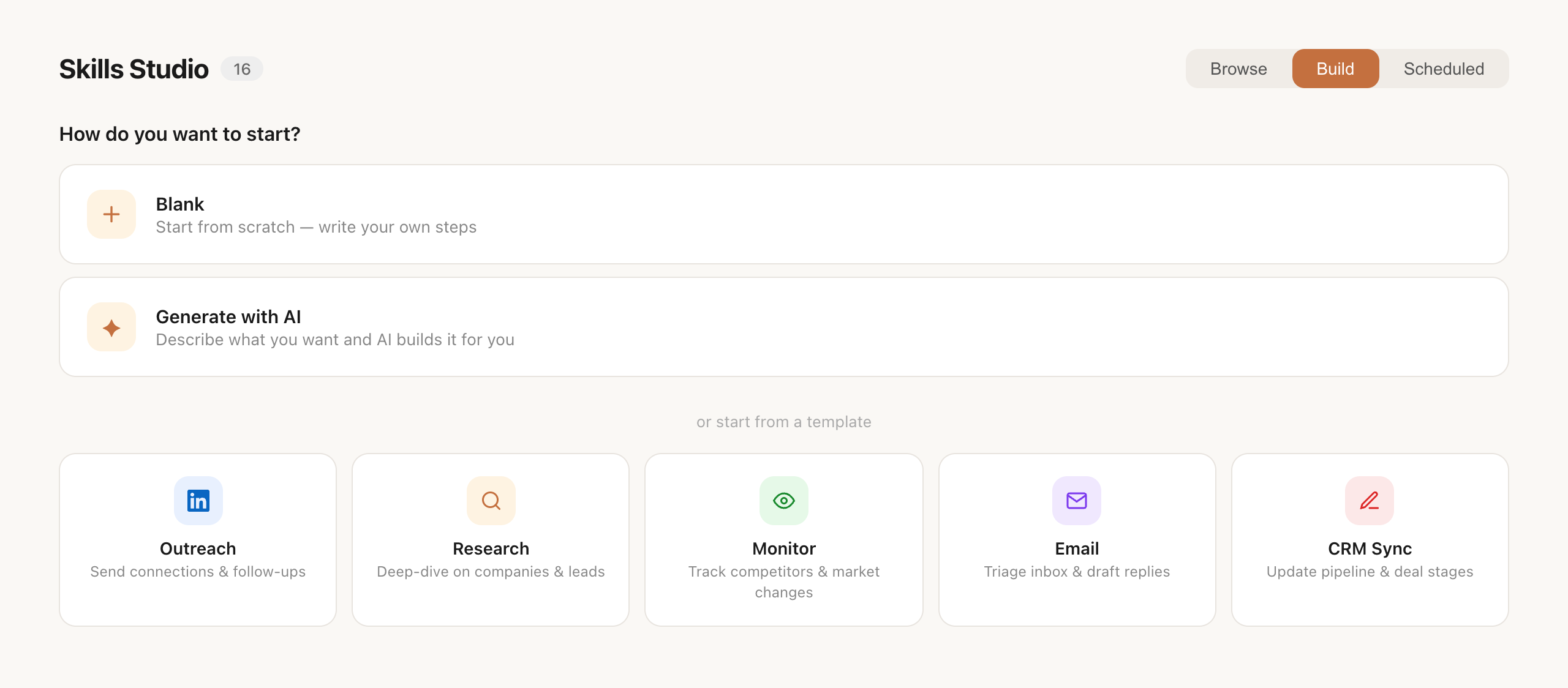
Skills Studio — Build
Skills Studio — choose blank, AI generation, or templates

Describe what you need in plain English. “Research every lead before my Monday calls” or “Monitor competitor pricing weekly.” AI generates the full workflow.
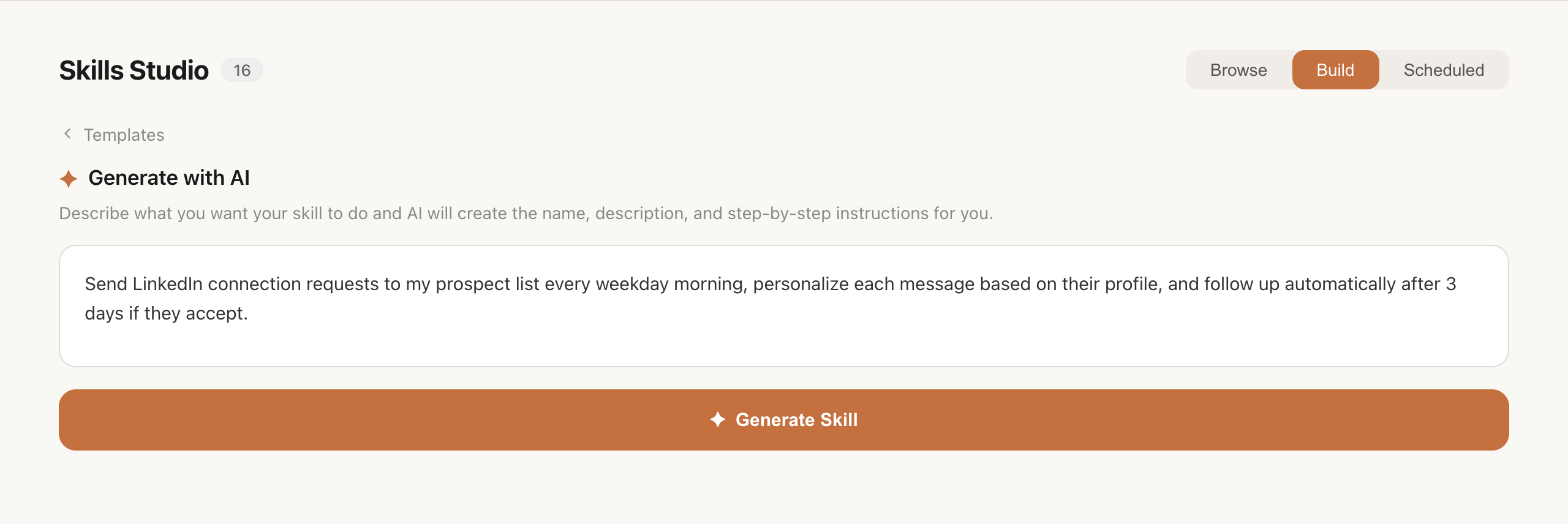
Skills Studio — Describe Your Workflow
Skills Studio — describe your workflow in plain English

Review and edit the generated steps, adjust the schedule, and fine-tune every detail before running.
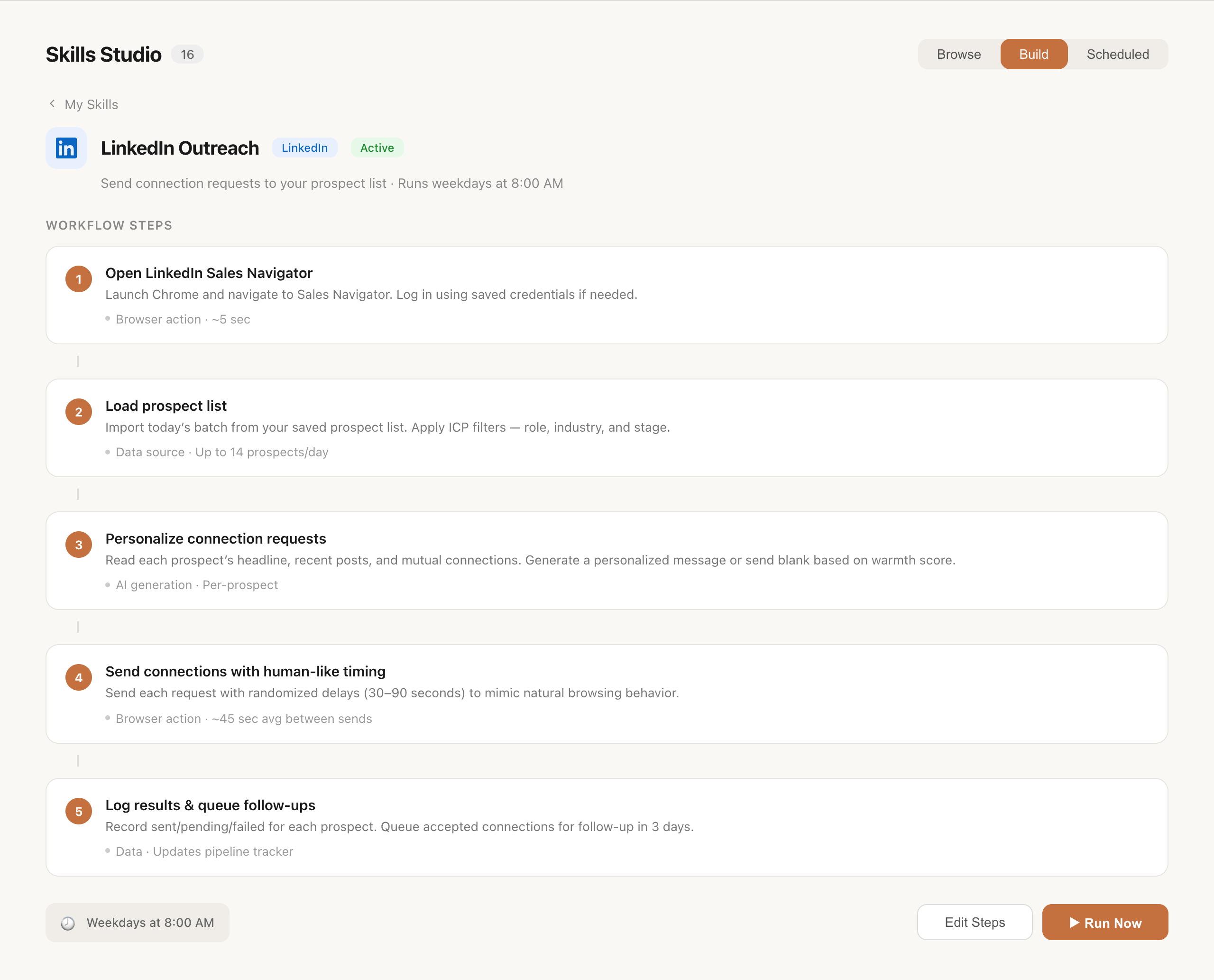
Skills Studio — Edit Steps
Skills Studio — edit generated steps and configuration

See Skills in action

Watch a Morning Briefing skill scan emails, check calendar, and deliver a WhatsApp summary — fully automated.

Skylarq Assistant — Skills Demo

Wake up to results tomorrow.

Download Skylarq. Set up your first skill in 3 minutes.

Download for Mac

macOS 12+. Free to start. Bring your own API key.